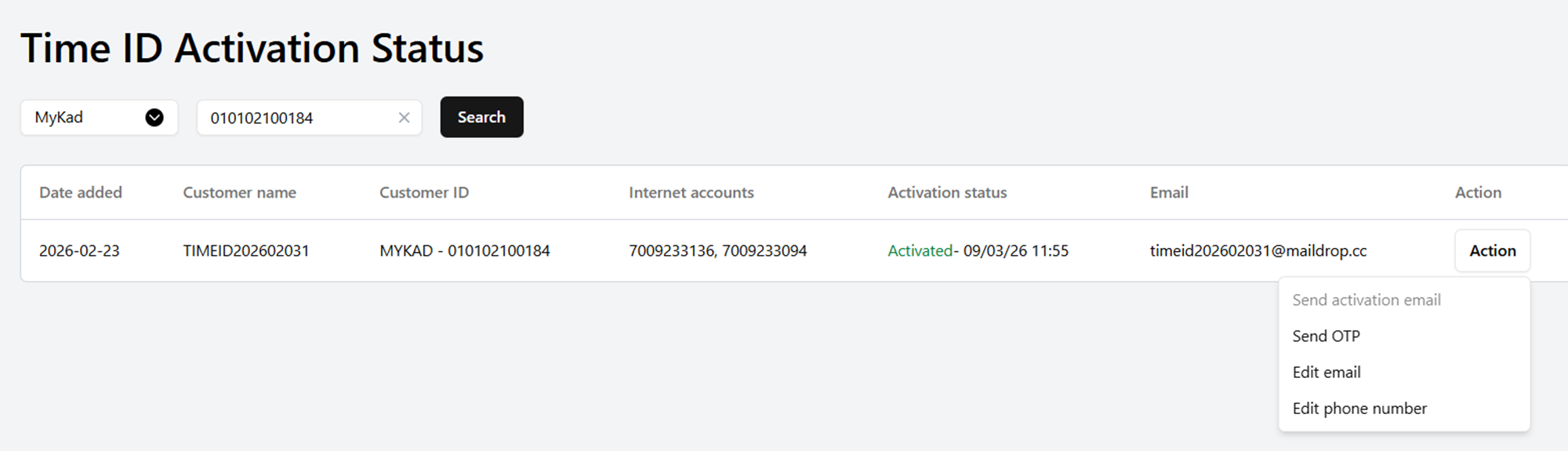
The system supports the following actions:
- Send Activation Email – for accounts that have not activated their Time ID yet.
- Send OTP – Use this if the customer is having issues receiving the OTP. 2 options:
- Send OTP for login to the customer’s registered email.
- Send OTP to activate Time ID via SMS to the customer’s registered mobile number.
Edit Email – use this if the customer wants to change their email.
Edit Phone Number – use this if the customer wants to update their phone number.
Was this article helpful?
That’s Great!
Thank you for your feedback
Sorry! We couldn't be helpful
Thank you for your feedback
Feedback sent
We appreciate your effort and will try to fix the article